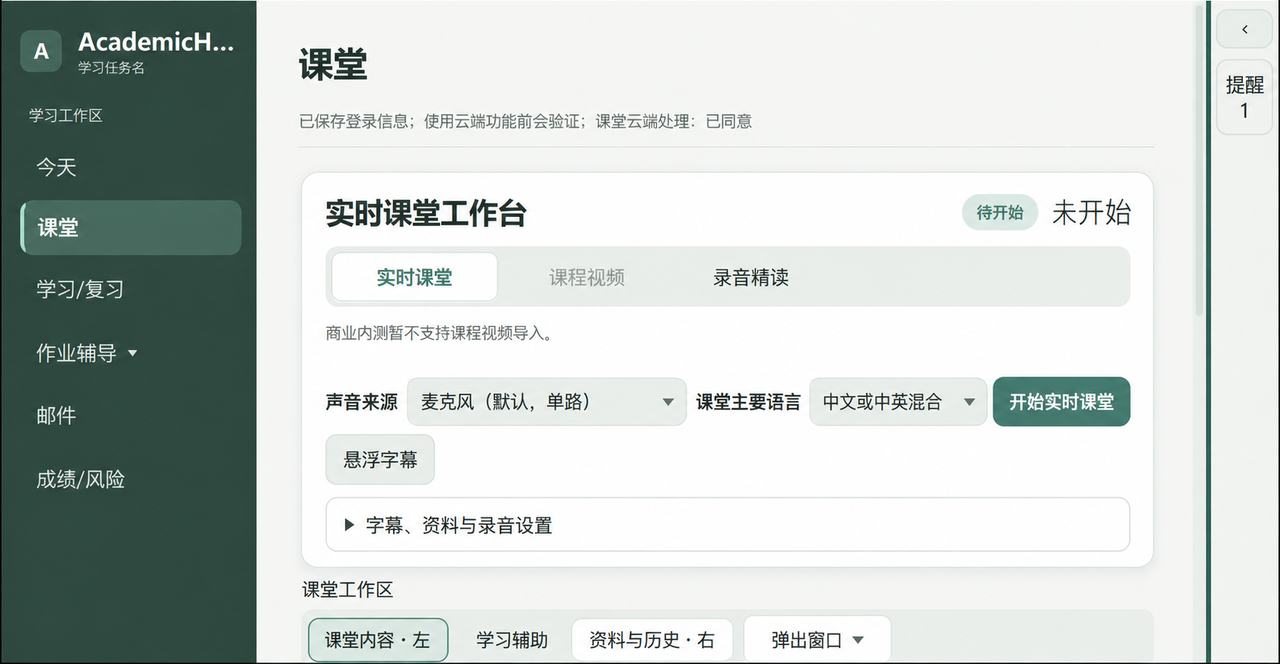
Live classroom
Follow bilingual captions as you listen. The original always remains, with translations directly below.
Audio close readingDrop in a WAV, MP3 or M4A file to create a reviewable transcript and structured notes.
See details → AcademicHub
AcademicHub connects classes, materials, assignments and review in one workflow. Original words stay intact, while chapters, key points and personal notes each have their place.
Every capability starts with a real study moment: less distraction in class, clear sources when organizing, and material you can find later.
Follow bilingual captions as you listen. The original always remains, with translations directly below.
Keep slides, board photos and screenshots with the course, linked back to their source context.
Turn chapters into summaries, flashcards, practice quizzes and scheduled mistake review.
The package includes its runtime. No separate Python, Java or PATH setup is required.
Get the latest Windows package from the official site and check its version.
Follow the installer without adding a separate runtime.
Open the app and complete the guided first-time setup.
Download the Windows release and start building a study record you can return to.